GhostViewer – See Through Time
Description
Have you ever looked at an old photograph and wondered exactly where it was taken? GhostViewer answers that question visually. Upload a historic photo, take or upload a modern one of the same place, and GhostViewer aligns them together — creating a ghostly blend that shows the past and present in the same frame.
Try the Free Web App – GhostViewer
How it works
1. Upload your photos. Add an old photo — could be from the 1900s, the 1960s, or just ten years ago. Then add a current photo of the same location.
2. Match your points. Click four or more matching points in each image — a doorway, a window, a corner of a building. GhostViewer uses these to precisely align the two photos together.
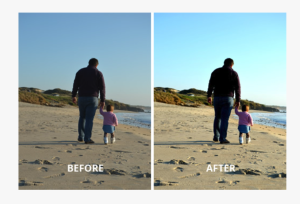
3. See through time. Blend the images together, swipe between them, or flicker back and forth. Export as a still image, an animated GIF, or a video to share.
Tag
Video