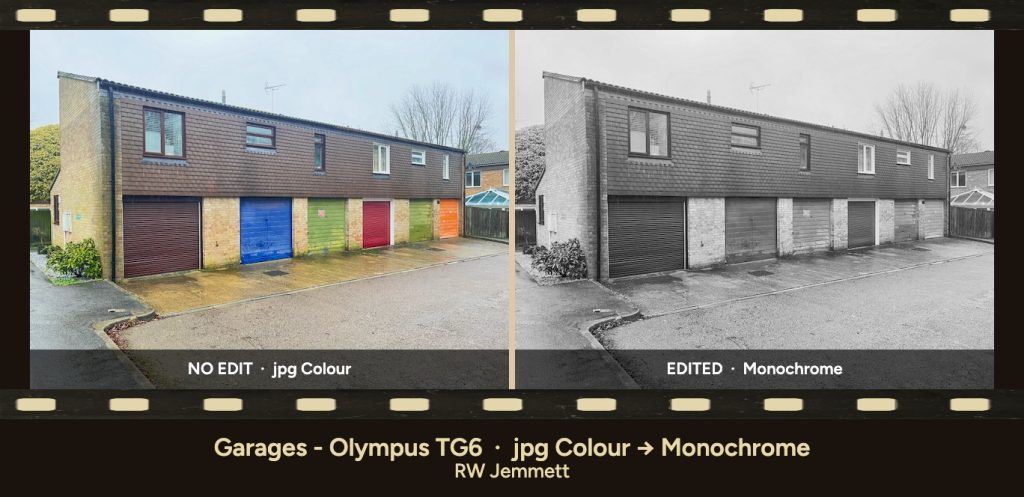
That’s what the new Frame Workshop is for.
It’s a free browser app on this site. You add Then and Now (or one photo), tune the look, and download a JPEG. You also get a small JSON look pack that GhostViewer’s Media Framer can import — so the same border and caption style can follow a GIF or video later. Your photos never leave your device.
Open it here: Frame Workshop
What it does (in under a minute)
- Choose Then & Now or Single still.
- Add your photos (or try a sample pair on the page).
- Pick a look — flat colour, film-edge sprocket strips, metallic finishes — then choose an output size for where the image is going.
- Add dates, place, credit; optional logo.
- Download JPEG for the still. Download Media Framer pack (or copy the JSON) if you’ll frame motion on GhostViewer next.
No account. No upload to our servers. Close the tab and the working files are gone — keep your originals if you want another size later.
Sized for Facebook, X, your blog and more
Choose an Output size and the finished image comes out at exactly that many pixels, border and caption included, so there’s no resizing afterwards. There are ready-made sizes for Facebook and LinkedIn link previews (1200 × 630), X/Twitter posts (1600 × 900), blog featured images and Open Graph (1200 × 630), Facebook and Instagram portrait (1080 × 1350), Pinterest pins, Stories and Reels, and YouTube thumbnails. Need something else? Type in your own width and height.
The photo is cropped to fill the frame by default. If you’d rather keep the whole picture, set Fit to Contain and it sits inside the frame with a matte around it. Want to post the same pair in two places? Change the Output size and download again — your originals are still in the browser.
Built for history, walks, and everyday before/after
It isn’t only “1898 High Street.” Use it for:
- Historic print next to today’s view
- Family photo repeated decades later
- Renovation or restoration before/after
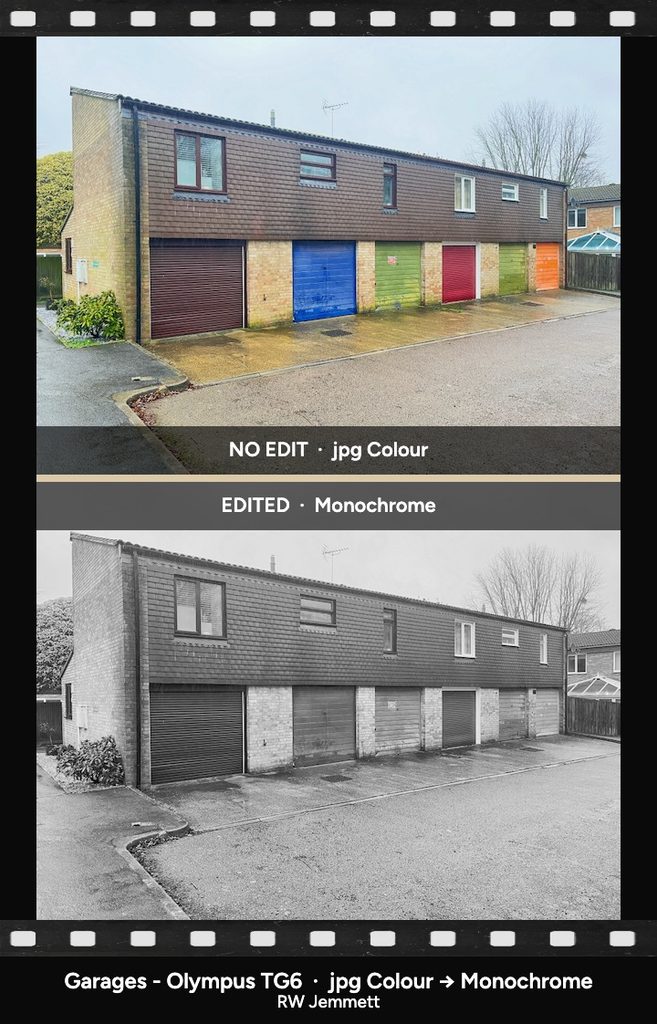
- Photowalk or outdoor series that need one consistent frame
On-photo labels can read Then / Now, Before / After, No Edit / Edited, or dates only — so the wording matches the story.
One look for stills and motion
The Workshop owns the still. GhostViewer’s Media Framer owns GIF and short video. The look pack is the bridge: same Preset shape (border, aspect, logo URL, and so on), so a village series can look like one family whether it’s a JPEG on a blog or a GIF in a feed.
Help and pack notes live in the Frame Workshop docs.
Privacy first
Photos stay in the browser. We don’t store your uploads. That matters for family albums, private archives, and community material you’re not ready to park on a third-party server.
Try it
Open the Frame Workshop, load a sample or your own pair, choose the size for your blog or social post, and export a still.
Questions or ideas? Use the Help docs first — then get in touch via Silver Poodle support if something’s missing. The best improvements usually come from people actually finishing a street, a walk, or a family album.